
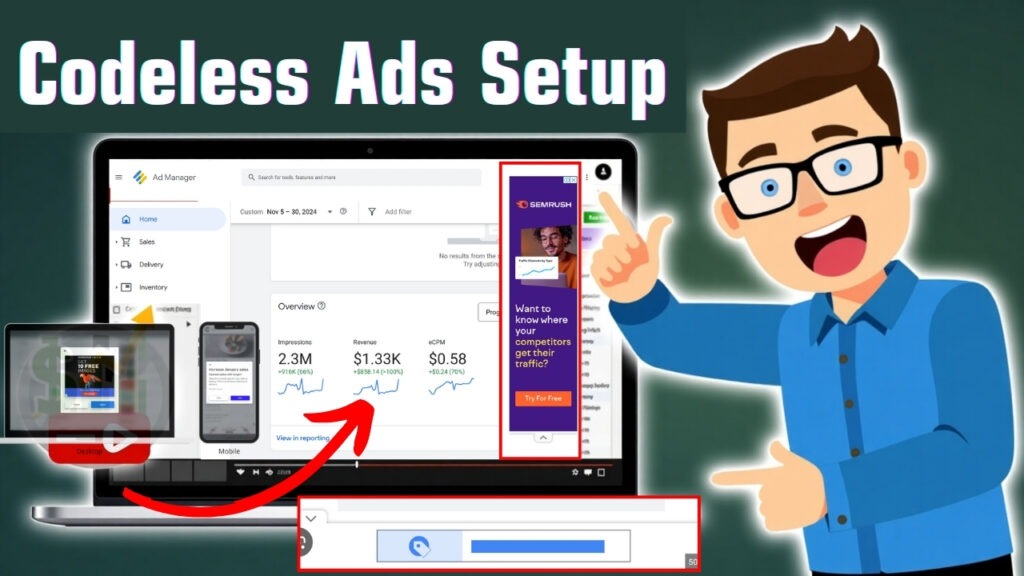
Setting up ads on your website can be a technical challenge, especially for those who lack coding experience. That’s where Google Ad Manager’s Codeless Ads come into play. With zero coding required, codeless ads allow publishers to monetize their websites efficiently, saving time and maximizing revenue.
These work automatically on your site to integrate and maximize placements while still providing the best revenue possible with little or no intervention. For those looking for a hassle-free means of making ad money with an easily user-friendly website, read on!
What Are Codeless Ads?
Codeless ads are automatically managed ad units. They do not require manual coding. Instead of using complicated ad tags, publishers could use the auto-tagging feature of Google Ad Manager to display ads.
How Do They Work?
- Google Ad Manager automatically detects ad placements on your website.
- Ads are dynamically inserted based on user behavior and content relevance.
- The platform optimizes ad performance using machine learning.
Difference Between Codeless Ads and Traditional Ads
| Feature | Codeless Ads | Traditional Ads |
|---|---|---|
| Coding Required | No | Yes |
| Setup Time | Fast | Slower |
| Optimization | AI-driven | Manual |
| Revenue Potential | Higher (Auto-optimized) | Varies |

Why Choose Codeless Ads?
1. Simplified Ad Implementation (No Coding Required)
Codeless ads eliminate the need for coding, making it easy for non-technical users to monetize their websites without any hassle.
2. Faster Ad Deployment and Management
With automated setup, you don’t have to worry about manual ad tag placements or frequent updates. Google Ad Manager does it all for you.
3. Increased Ad Revenue Potential
Since Google’s AI optimizes ad placements in real-time, codeless ads can help maximize ad impressions, clicks, and revenue.
4. Improved Ad Quality and Relevance
Google ensures that only high-quality, relevant ads appear on your site, enhancing both user experience and engagement.

Prerequisites for Setting Up Codeless Ads
Before you start, make sure you have:
✅ An active Google Ad Manager account
✅ A website that complies with Google’s Ad Policies
✅ High-quality content and traffic
✅ A mobile-friendly website for optimal ad performance
Step-by-Step Guide to Setting Up Codeless Ads
Step 1 – Access Google Ad Manager
- Log in to Google Ad Manager.
- Navigate to “Inventory” → “Codeless Ads”.
Step 2 – Define Your Ad Inventory
- Select the website or app where you want to show ads.
- Choose automatic ad placements for different sections.
Step 3 – Configure Ad Settings
- Choose the ad formats (display, video, native).
- Enable auto-optimization for best results.
Step 4 – Implement Ad Code (Minimal Setup)
- Google generates a single tag that covers all placements.
- Paste the tag in your website’s header (no complex coding required).
Step 5 – Test and Deploy
- Preview ads before going live.
- Ensure they follow Google’s ad policies.
- Publish and track performance using Google Ad Manager’s reports.

Best Practices for Codeless Ads
✅ Optimize Placement: Let Google’s AI decide the best ad positions.
✅ Improve Page Speed: Ensure fast loading times for a seamless experience.
✅ Follow Google’s Policies: Avoid excessive ads to maintain compliance.
Common Issues and Troubleshooting
| Issue | Solution |
|---|---|
| Ads not showing | Check if codeless ads are enabled in Google Ad Manager |
| Slow page speed | Use lazy loading and optimize images |
| Low ad revenue | Enable auto-bidding for higher CPMs |
Performance Tracking and Revenue Optimization
To maximize revenue, use:
- Google Ad Manager reports tracking impressions and clicks
- A/B testing to experiment with different ad formats
- Bid adjustments to get higher-paying ads
Conclusion
Google Ad Manager’s Codeless Ads is a smooth, efficient, and powerful way to monetize your website without technical expertise. With Google’s AI, publishers can have better revenue, better user experience, and smooth ad management.

FAQs
How do codeless ads differ from traditional ad setups?
They require no manual coding, making them easier to set up and manage.
Do codeless ads work on all types of websites?
Yes, but they perform best on content-rich, ad-friendly websites.
How can I maximize revenue with codeless ads?
Enable auto-bidding, optimize ad placement and track performance.
Are codeless ads compliant with Google’s policies?
Yes, as long as your website follows Google’s Ad Standards.
How do I track the performance of codeless ads?
Use Google Ad Manager reports for detailed insights on impressions, clicks, and earnings.

